Is Your Guest's Bio Going to Embarrass You on Air?
You read their bio on air. The company name is wrong. The title is from two jobs ago. The links go nowhere. Here is how to stop guest verification disasters before they happen — without spending hours on research.
Vikram Rajan
You introduce your guest with their impressive bio. You link to their website. You mention their latest book. And then, mid-conversation, you realize: their bio is two years out of date. The link goes to their old company. The book you mentioned was their previous one. It is embarrassing for you, awkward for the guest, and it undermines your credibility as a host.
Outdated bios and wrong links do not just make you look bad — they make your guest look bad too. And if the guest feels embarrassed on your show, they will not share the episode. That is a lost cross-promotion opportunity that costs you hundreds of potential new listeners.
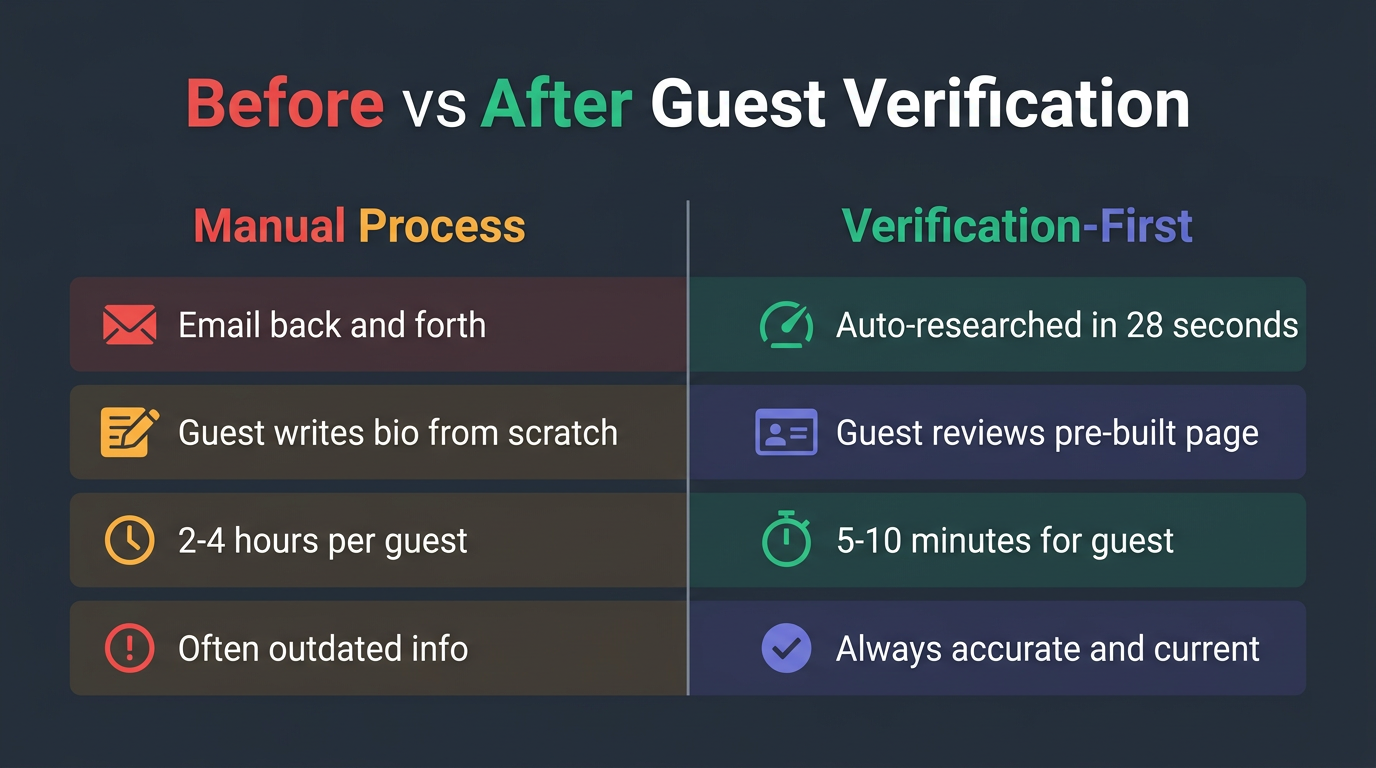
Manual process vs. verification-first: a dramatic difference in time and accuracy.
Why Guests Do Not Update Their Own Bios
It is not that your guests do not care. It is that updating a bio is a friction-filled process:
- They have to write a new bio (what length? what format?)
- They have to find and send a current headshot
- They have to compile all their social links
- They have to email it all to you
- Then you have to format it and put it on your page
Your guest is busy — they are a leader, expert, or visionary with a full schedule. The bio update keeps falling to the bottom of their to-do list. And you are left scrambling the night before recording with an outdated bio on your page.
The Verification-First Approach
Instead of asking your guest to provide their information, provide it for them and ask them to verify. This is a fundamentally different approach:
Research the Guest Automatically
Use their name and email to find their public information — LinkedIn, company website, recent articles, headshot, bio, testimonials, awards, and media appearances.
Build the Page for Them
Compile all of this into a polished draft page. Do not send them a blank form — send them a finished page they can review.
Send a Private Review Link
Give the guest a PIN-protected link where they can see everything you have compiled and make changes. No emails back and forth — they edit directly.
Let Them Edit with One Click
They can update their bio, swap their headshot, hide information they do not want public, and add anything you missed — all without emailing you.
Lock It on Approval
Once they are happy, they approve the page and it is ready to publish. Nothing goes public until they say so.
Instead of asking the guest to do work (writing a bio from scratch), you are asking them to do something easy (reviewing and editing an existing page). Most guests spend 5-10 minutes reviewing and approve within a day. The psychological difference: Please send us your bio feels like homework. We have built a page for you — here is a private link to review feels like being honored.
What to Verify on Every Guest Page
- Current job title and company — this changes more often than you would think
- Headshot — make sure it is recent and professional
- Social media links — confirm they are current and active
- Bio — check for outdated accomplishments or expired credentials
- Testimonials — verify they are real and attributable
- Awards and recognition — confirm dates and organizations
- Media appearances — link to actual episodes and articles, not dead links
- Research the guest automatically using their name and email
- Compile their photo, bio, social links, testimonials, and awards
- Build a polished draft page before contacting them
- Send a PIN-protected private link for review
- Let the guest edit, hide, or add information directly
- Verify current job title and company
- Confirm the headshot is recent and professional
- Check all social media links are active
- Verify testimonials are real and attributable
- Confirm awards dates and organizations are correct
- Test all media appearance links for dead URLs
- Get guest approval before publishing anything
- Sign up for Guester free to automate this entire process in 28 seconds