Does Your Guest Bio Page Make Guests Want to Share — or Shrug?
A bare directory link gets ignored. A polished guest page with headshots, bios, testimonials, and social links gets posted on LinkedIn. Here is exactly what to include so your guests share your episode instead of forgetting it exists.
Vikram Rajan
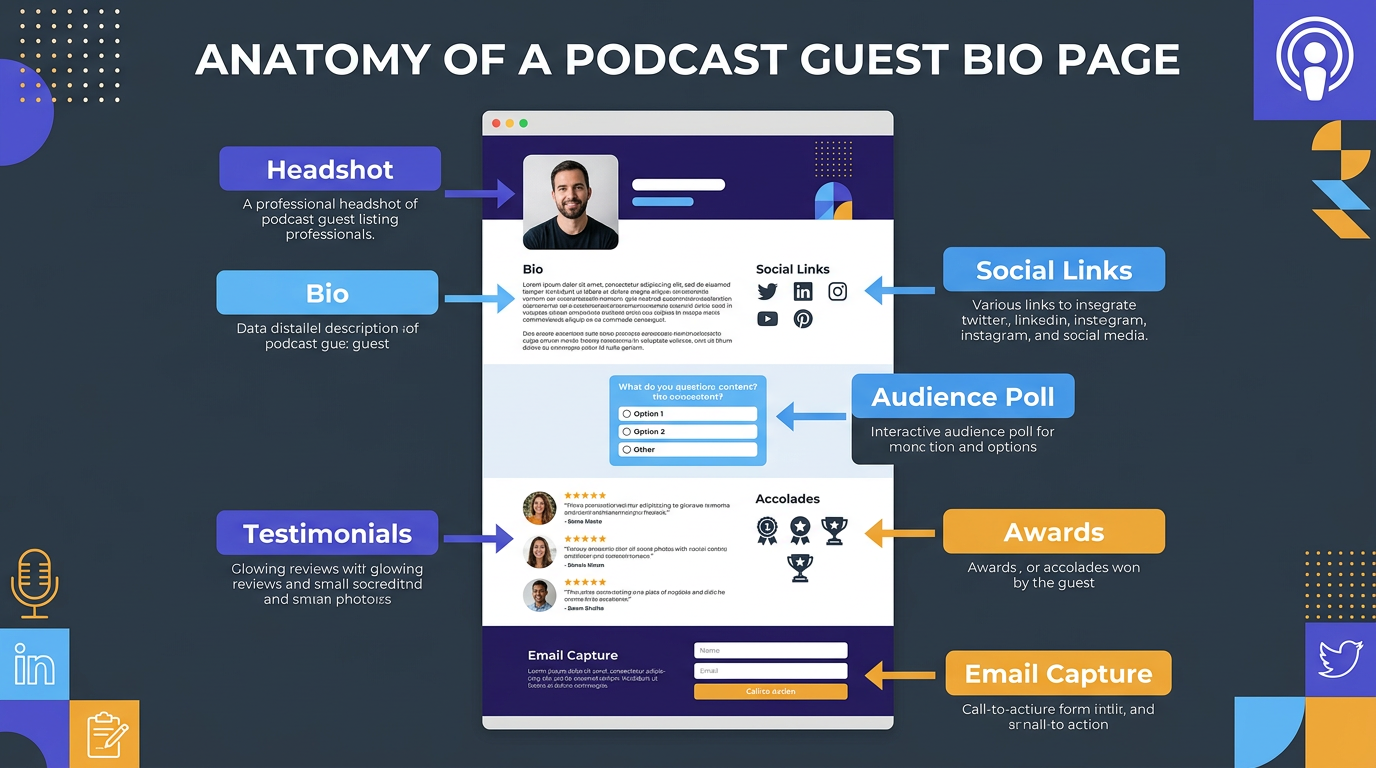
When you invite a guest on your podcast, the page you create for them is more than just information — it is a signal. A thoughtful, professional page tells your guest: I value your time, I respect your expertise, and I want this to be your best interview yet. A bare page with just a name and a link says the opposite.
A polished guest bio page serves three purposes at once: it impresses your guest before recording, gives them something to share with their audience, and captures emails from visitors who want to learn more.
The anatomy of a high-converting podcast guest bio page.
What to Include on a Podcast Guest Bio Page
Professional Headshot
Use a high-resolution, professional headshot — not a casual selfie. If you do not have one, tools like Guester can automatically find the guest's public headshot during the research phase.
Guest Bio (Short and Long Versions)
Include a 2-3 sentence summary at the top for scannability, followed by a longer bio covering their career, expertise, and key accomplishments. Write in third person.
Social Media and Website Links
Link to their LinkedIn, Twitter/X, company website, and any other professional profiles. Make these clickable icons, not just text links — they are more visually appealing and easier to tap on mobile.
Testimonials and Endorsements
Include 2-3 short testimonials from colleagues, clients, or previous podcast hosts. These build credibility and make the guest feel valued. Guester automatically collects these during the research phase.
Awards and Recognition
If your guest has won industry awards, been featured on best-of lists, or received notable recognition, showcase it. This is the kind of detail that makes a guest say "wow, they really did their homework."
Media Appearances
List other podcasts, TV shows, or publications where the guest has appeared. This positions them as an established expert and gives visitors more content to explore.
Audience Engagement Poll
Include a simple poll for visitors: What topic are you most excited to hear about? This captures email addresses and gives you content ideas for the conversation.
Email Capture Form
Every visitor who lands on the guest page is a potential listener. Give them a way to join your email list — even something as simple as Get notified when this episode goes live with an email field.
Your Show Branding
The page should prominently feature your podcast logo, show description, and links to your other episodes. The guest is the star, but you are the host.
Ideal Page Layout (Top to Bottom)
- Show logo + episode title
- Guest headshot + name + title
- Short bio (2-3 sentences)
- Social links + website
- Audience engagement poll
- Long bio + testimonials
- Awards + media appearances
- Email capture form
- Recent episodes from your show
- Share buttons
Manual approach: Research the guest, find their headshot, write their bio, collect testimonials, code the page — 2 to 4 hours per guest.
With Guester: Paste the guest's name and email. The page is built in about 28 seconds — complete with photo, bio, social links, testimonials, awards, media appearances, and an audience poll. The guest gets a private link to review and approve.
- Professional headshot (high-resolution)
- Short bio (2-3 sentences) at the top
- Longer bio (1-2 paragraphs) below
- Social media links as clickable icons (LinkedIn, Twitter/X, website)
- 2-3 testimonials from colleagues or clients
- Awards and industry recognition
- Other media appearances (podcasts, TV, publications)
- Audience engagement poll with email capture
- Email notification signup form
- Your show logo and links to other episodes
- Share buttons for LinkedIn, Twitter/X, Facebook, email
- Embed code for guest's own website or blog
- Sign up for Guester free to automate all of this in 28 seconds